Home Office Organization Tips That Make It Easier to Get Things Done
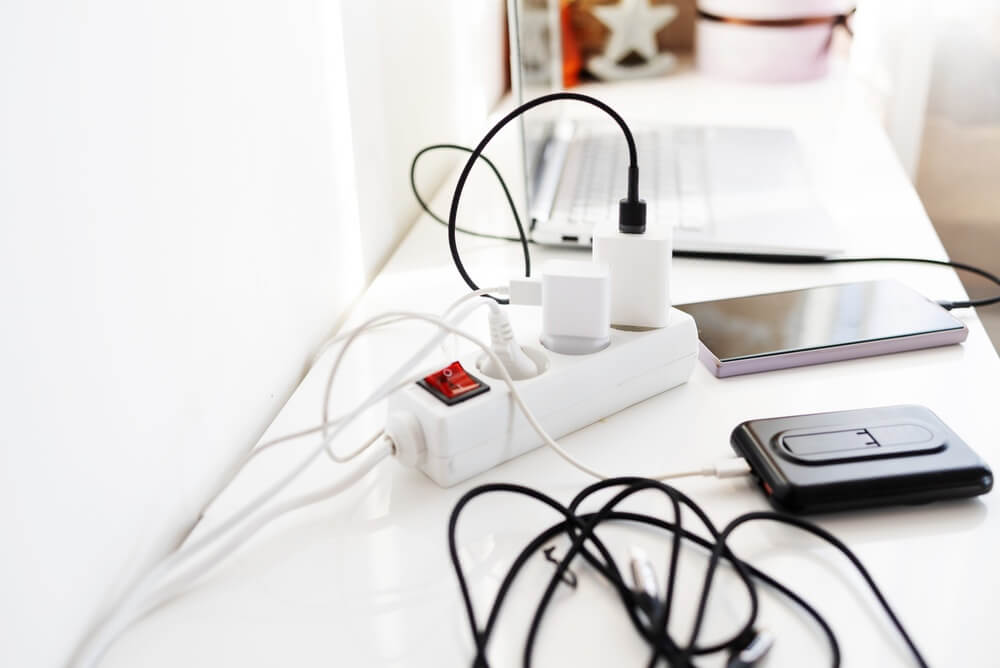
A home office has a remarkable ability to become the place where paperwork goes to think about its future.
Bills arrive.
Receipts accumulate.
Chargers multiply.
A notebook appears.
Then another notebook.
A package you need to return lands beside the printer.
Before long, you've lost enough of the desk that you're balancing your laptop on six inches of available space.
Home office organization isn't about creating a beautiful backdrop for video calls.
It's about making it easier to sit down, find what you need, and get something done.
Whether you work from home full-time, run a business, manage household paperwork, or simply need somewhere to pay bills and deal with life's administrative nonsense, the same principles apply.
Keep what you use close.
Give paperwork a system.
Get unnecessary stuff out.
And protect the desk from becoming household storage.
Start by Decluttering the Office
Before organizing, get rid of what you don't need.
Go through the obvious clutter:
- Old papers.
- Dead pens.
- Duplicate office supplies.
- Empty boxes.
- Outdated manuals.
- Unneeded printouts.
- Obsolete electronics.
- Mystery cables.
- Old notebooks you no longer need.
- Supplies for equipment you no longer own.
Don't organize things simply because they're already in the office. Ask whether they still deserve the space.
That printer cartridge for the printer you replaced four years ago has waited long enough.
Need a bigger decluttering plan? See How to Declutter Your Home Without Getting Overwhelmed →
Clear the Desk
Your desk is a work surface. Treat it like one.
Remove everything and clean the surface. Then return only what you regularly need while working.
That might include:
- Computer.
- Monitor.
- Keyboard and mouse.
- Lamp.
- Current notebook or planner.
- A few pens.
- Phone.
- Frequently used work tools.
Everything else needs another home.
You don't need to achieve a particular percentage of visible desktop. You just need enough open space to work without moving three piles first.
Create a Home for Incoming Paper
Paper becomes clutter when it arrives faster than you make decisions about it.
Create one place for incoming paperwork. One.
Not a stack on the desk, another on the kitchen counter, and a third beside the front door.
Your incoming area might be:
- A tray.
- A wall pocket.
- A basket.
- One section of a file organizer.
When paperwork comes in, put it there until you process it.
This gives paper a temporary home without allowing it to colonize every flat surface in the house.
Give active papers a home: The Simple Houseware Mesh Hanging File Folder Organizer keeps frequently used paperwork upright and separated instead of letting it slowly colonize your desk.
Use labeled folders for categories such as bills, action items, receipts, or documents to file.
Process Paper Instead of Rearranging It
Moving a paper from one pile to another is not paperwork management. When you process incoming papers, make a decision.
Most paper falls into a few categories:
Act: Something requires attention.
File: You genuinely need to retain it.
Scan: You want the information but don't need the physical copy.
Shred: It contains sensitive information you no longer need.
Recycle: You're finished with it.
The goal is to reduce the amount of paper that survives the process.
Don't file something merely because throwing it away makes you nervous. Keep records you actually need.
See How to Organize Paperwork →
Create an Action File
Some paperwork can't be handled immediately. That's fine. Give it a specific place.
Possible categories include:
- Pay.
- Sign.
- Respond.
- File.
- Pending.
- To discuss.
Keep the system small.
If you create 37 beautifully labeled categories, filing each paper becomes its own administrative task.
The system should help you make decisions faster. Not create more of them.
Separate Household and Work Papers
If your home office handles both work and household administration, keep the two reasonably separate.
For example:
Work
- Client or project materials.
- Business expenses.
- Professional records.
- Current work.
Household
- Insurance.
- Home records.
- Taxes.
- Medical paperwork.
- School documents.
- Receipts and warranties.
They can live in the same office.
They don't need to live in the same pile.
Keep Current Work Separate From Reference Material
Things you're actively working on should be easy to reach.
Things you're merely keeping for reference don't need prime desk space. Create a clear distinction between:
Active: I'm using this now.
Reference: I may need this later.
Active material stays nearby. Reference material can go into files, shelves, cabinets, or digital storage.
This one distinction can clear a surprising amount of desk space.
Use One Capture System for Notes and Tasks

The original version of this page recommended notebooks, and the basic idea still works.
The problem isn't whether you use paper or digital tools.
The problem is having notes everywhere.
Choose one primary place to capture:
- To-do items.
- Phone notes.
- Ideas.
- Reminders.
- Follow-ups.
That might be:
- One notebook.
- A planner.
- A notes app.
- A task-management app.
Use whatever you'll consistently check.
Writing one reminder on a sticky note, another on the back of an envelope, another in your phone, and a fourth somewhere you're positive you'll remember is how things disappear.
One capture system dramatically reduces the hunt.
Give Office Supplies One Zone
Pens, tape, scissors, staples, envelopes, and other supplies need a place to live.
Keep frequently used supplies close. Store extras farther away.
For example:
Desk drawer: pens, highlighter, scissors, tape.
Supply drawer or cabinet: extra pens, printer supplies, envelopes, labels, and other backups.
Don't keep twelve of everything on the desktop simply because you own twelve. Your desk doesn't need inventory.
Group Things You Use Together
Store related items together. For example:
Mailing: envelopes, stamps, labels.
Printing: paper, ink, or toner.
Writing: pens, pencils, markers.
Shipping: tape, scissors, labels.
This reduces searching. You shouldn't have to open four drawers to mail one envelope.
Stop Stockpiling Office Supplies
Office supplies have a strange way of becoming permanent residents.
You buy another pack because you can't find the one you already own. Then you discover both. Now you have 47 pens.
Keep reasonable backups of things you actually use. But don't turn the office into a stationery warehouse. Before buying more, check your supply area.
Knowing what you own is part of being organized.
Deal With the Cable Problem
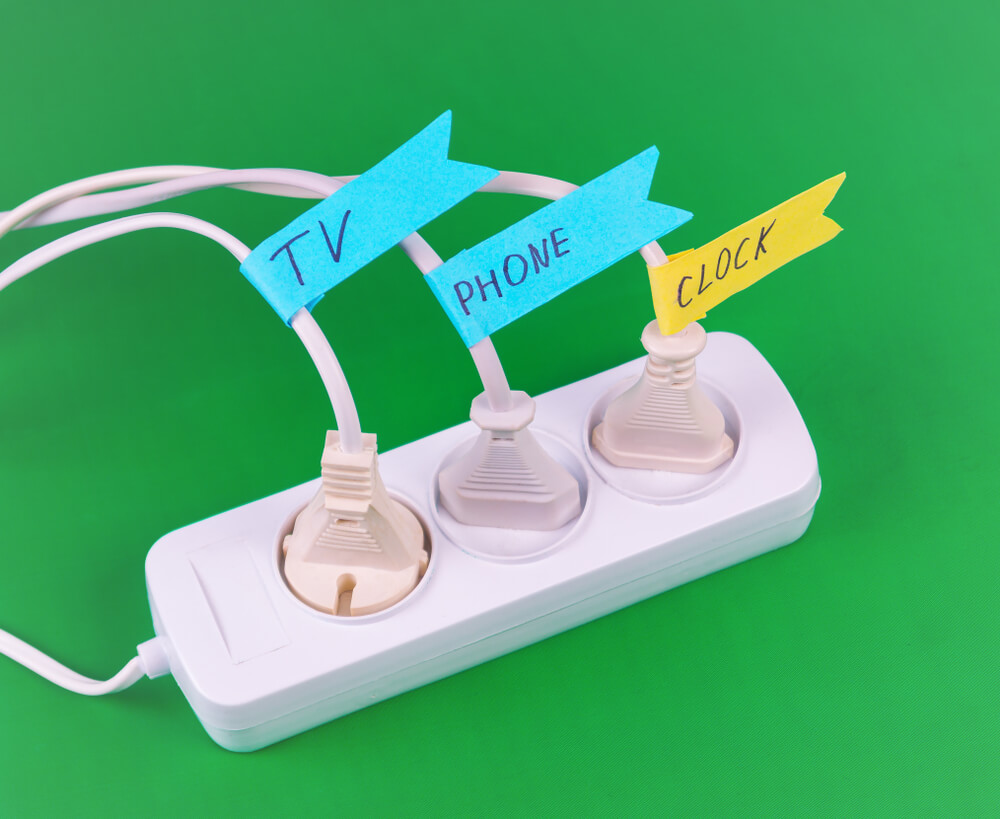
Modern home offices have fewer paper files than they once did, but about nine thousand more cords.
Start by removing cables for devices you no longer own. Then organize what remains.
You might use:
- Cord clips.
- Cable sleeves.
- Velcro ties.
- A charging station.
- Labels.
- A cable-management box.
Label cords when several similar ones disappear behind the desk. Keep frequently used chargers accessible.
And don't preserve unidentified cables indefinitely because they might be important.
If you haven't known what it belongs to since 2018, the relationship may be over.
Create a Charging Area
Give phones, tablets, headphones, and other rechargeable devices one location.
This keeps chargers from spreading across the desk. It also makes devices easier to find.
If multiple people use the office, label chargers or give each person a designated spot.
Nobody needs a household investigation every time an iPad reaches 3 percent.
Organize Digital Files Too
A perfectly organized desk won't help much if your computer desktop contains 438 files named things like:
FINAL
FINAL2
FINAL-NEW
FINAL-REALLY
Create a simple digital filing structure.
For example:
- Work.
- Personal.
- Financial.
- Home.
- Projects.
- Photos.
Within those folders, create only the subfolders you actually need. Use consistent file names.
Dates can help with documents that accumulate over time.
For example:
2026-09 Insurance Statement
is much easier to identify later than:
scan0047.pdf
Back Up Important Files
Important digital files should not exist in only one place. Use an appropriate backup system for documents and files you cannot afford to lose.
That might include secure cloud storage, an external backup, or another reliable method appropriate for the information.
Review your backup setup periodically.
You shouldn't discover it hasn't been working only after the computer dies.
Keep Sensitive Information Secure
A home office may contain:
- Tax records.
- Financial information.
- Identification documents.
- Legal papers.
- Medical information.
- Business records.
Store sensitive physical documents securely.
Protect digital information with appropriate passwords, device security, and backups.
Shred sensitive papers you no longer need rather than dropping them intact into recycling.
Organization isn't merely about being able to find information.
Sometimes it's about making sure other people can't.
Create a Place for Receipts
Receipts are tiny pieces of paper with enormous clutter ambitions.
If you need to keep receipts, give them one temporary home.
Then process them regularly.
Business receipts may need to go into your expense or tax system.
Receipts for major purchases may belong with warranties or household records.
Most routine receipts don't need permanent preservation. Don't let them form sedimentary layers in your desk drawer.
Control Manuals and Warranties
You probably don't need to keep every instruction manual that enters the house.
Many manuals are available digitally.
For manuals you do retain, keep them together.
Do the same with warranties and records for major purchases.
Dispose of paperwork for products you no longer own.
Exquisitely organized instructions for a microwave that left your house in 2013 have little value.
Use Vertical Space
If your office is small, look up.
Wall space can provide useful storage without consuming floor space.
Consider:
- Shelves.
- Wall pockets.
- Pegboards.
- Cabinets.
- Bulletin boards.
Use vertical storage for things you actually need. Don't fill walls simply because they're available.
An office can become visually overwhelming when every surface is storing something.
Leave some breathing room.
Use Closed Storage for Ugly Things
Not everything deserves to be displayed.
Printer paper.
Cables.
Office supplies.
Files.
Technology accessories.
These things may be useful. They are rarely decorative.
Use drawers, cabinets, boxes, or baskets for visually busy supplies.
Open shelves work better for items you don't mind seeing.
Closed storage works beautifully for everything that looks like an office-supply aisle exploded.
Keep Frequently Used Things Within Reach
Put prime office real estate where you use it regularly.
Ask:
Do I use this every day?
Keep it close.
Every week?
Keep it reasonably accessible.
Twice a year?
It can live farther away.
You don't need the tax archive beside your elbow. Your current work deserves that space.
Don't Put Everything at Arm's Reach
Older office-organizing advice often tried to keep everything within arm's reach.
That's unnecessary.
You don't need every file, office supply, or piece of equipment within arm's reach.
That creates clutter.
Keep everyday tools close.
Move backups, archives, and occasional-use items to:
- Cabinets.
- Shelves.
- Closets.
- Another appropriate storage area.
Standing up occasionally will not destroy your productivity.
Organizing a Small Home Office
A home office doesn't need an entire room.
It might be:
- Part of a bedroom.
- A corner of the living room.
- A converted closet.
- A landing.
- A small alcove.
In a small space, concentrate on essentials.
You need:
- A usable work surface.
- Comfortable seating.
- Appropriate lighting.
- Power access.
- Storage for current materials.
Then use vertical space and closed storage where possible.
Don't try to squeeze a corporate office into six square feet.
Store less-used supplies elsewhere.
Working From a Bedroom?
If your office shares a bedroom, contain the work visually when possible.
Use:
- A desk with drawers.
- Closed cabinets.
- Baskets.
- A rolling cart that can be tucked away.
- A small file box.
At the end of the workday, clear the desk and put away active work.
This helps the room stop looking like an office when you're trying to use it as a bedroom.
Your laptop does not need to watch you sleep.
Use a Rolling Cart Only if It Solves a Problem
Rolling carts can be useful in shared or small spaces.
They work particularly well for:
- •Office supplies.
- Craft supplies.
- Current projects.
- Mobile workstations.
But don't buy one simply because it's an organizing product.
First, identify what you need to store. Then decide whether a cart is actually the answer.
Organizing products should solve existing problems.
They shouldn't arrive looking for one.
Keep the Printer Area Under Control
If you use a printer, give its supplies a defined home nearby.
Keep:
- Printer paper.
- Ink or toner.
- Labels or specialty paper you actually use.
Don't store a five-year supply.
And don't allow the top of the printer to become another flat surface for paperwork.
Printers are remarkably patient about this. They will accept an unlimited number of sheets of paper until you need to open them.
Create a Pending Area
Some things are waiting on someone else.
Those papers can be particularly troublesome because you can't finish them yet.
Create a small Pending file or folder.
Use it for things such as:
- Awaiting reply.
- Awaiting refund.
- Awaiting document.
- Awaiting approval.
Review it regularly.
Otherwise, "pending" becomes another word for "forgotten."
Schedule a Weekly Office Reset
Once a week, spend ten or fifteen minutes resetting the office.
- Clear the desk.
- Process loose paper.
- File completed documents.
- Shred what you don't need.
- Put supplies away.
- Review pending items.
- Empty trash.
- Check upcoming tasks.
This prevents the office from slowly rebuilding its clutter population.
The reset should be short because everything already has a home. If it takes two hours, you aren't resetting.
You're excavating.
Have an End-of-Day Reset
If you work from home regularly, take a few minutes to close down your workspace.
- Save your work.
- Put papers away.
- Return supplies.
- Clear cups and dishes.
- Write down tomorrow's first task.
- Plug in devices.
- Close the computer.
This gives you a cleaner start the next day.
It also creates a useful boundary between work and home—especially when both happen in exactly the same building.
Don't Let the Office Become Household Overflow
Home offices attract things that don't have homes elsewhere.
Returns.
School papers.
Gift wrap.
Boxes.
Craft supplies.
Unopened mail.
Things you're planning to sell.
If something doesn't support the work or household administration happening in the office, ask whether it belongs there.
Your office is not the witness protection program for objects nobody knows where to put.
Give them real homes.
Or get them out.
Home Office Organization in 15 Minutes
If the office is getting away from you, set a timer.
First five minutes:
Remove trash, dishes, and anything belonging in another room.
Next five minutes:
Process or gather loose paperwork and put supplies away.
Final five minutes:
Clear the desk and organize your current work.
Stop. You don't have to overhaul the entire filing system to make tomorrow easier.
What Should Stay on Your Desk?
Very little. Ideally, keep only the things you use constantly.
That might include:
- Computer.
- Monitor.
- Lamp.
- Notebook or planner.
- Pen.
- Phone.
- One small tray for current work.
Your exact list will vary. The principle won't.
A desk works better when you have room to work.
What Shouldn't Stay on Your Desk?
Question things such as:
- Old paperwork.
- Completed projects.
- Extra supplies.
- Unopened mail.
- Receipts.
- Product manuals.
- Empty packaging.
- Items awaiting another room.
- Things you're keeping because you don't know where else to put them.
Your desktop should not be the final destination for undecided objects.
The Real Goal of Home Office Organization
Your home office doesn't need matching containers, an inspirational wall quote, or a desk facing precisely the right direction.
It needs to help you get things done.
Clear enough space to work.
Keep current materials accessible.
Give paper a route through the room.
Store supplies together.
Organize digital files.
Control the cords.
Move rarely used things out of prime space.
Then spend a few minutes resetting the office regularly.
A well-organized home office isn't one where nothing ever gets messy.
It's one where you can restore order quickly and find what you need without launching a search party.
That's productive enough.
Keep Organizing
How to Organize Your Home Room by Room →
How to Organize Financial Records →
How to Declutter Your Home Without Getting Overwhelmed →
Ready to Organize the Rest of the House?
Room by Room by Tara Aronson takes you through your home one space at a time, helping you clear what you don't need and create practical systems for what remains.
Learn more about Room by Room →
- Clean Home
- Organize Your Home
- Home Office Organization Tips
Free 15-Minute Daily Reset Checklist
Get Notes on Keeping House
Fifteen minutes a day. No weekend cleaning marathons. No guilt. Sign up for my newsletter and I'll send you the printable checklist that makes it happen.
Send My ChecklistNo spam, ever. Unsubscribe anytime.
Free Printable
Notes on Keeping House
Sign up and get my 15-Minute Daily Reset Checklist. One timer, five zones, and a house that stays under control.
Send My ChecklistNo spam, ever. Just smart, funny tips for keeping house from Tara Aronson.