How to Organize Paperwork So You Can Actually Find What You Need
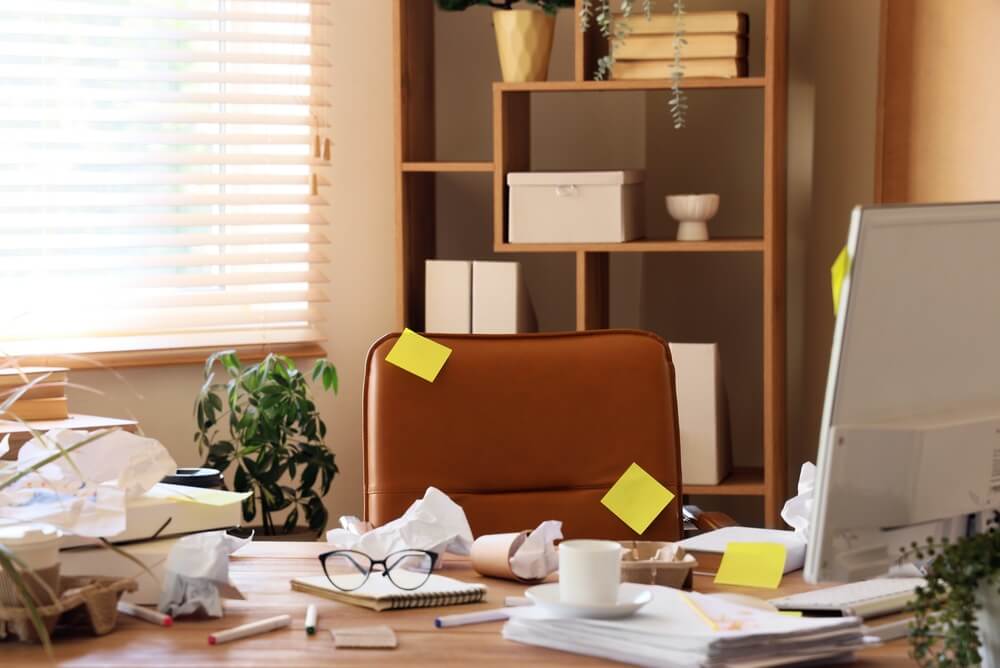
Paper is sneaky.
One envelope arrives.
Then a school form.
Then a receipt.
Then something from the insurance company that looks important enough not to throw away but unpleasant enough not to deal with.
Soon there's a pile on the kitchen counter.
Another on the desk.
A third pile has somehow formed on top of the printer.
And nobody is entirely sure which one contains the thing you need.
Organizing paperwork is not about creating an enormous filing system.
It's about giving every piece of paper a short, predictable journey:
Come in. Make a decision. Take action. File it if necessary. Get rid of it when it no longer matters.
The fewer papers that survive that journey, the easier the system is to maintain.
Start by Gathering the Loose Paper
Before creating a filing system, collect the obvious paperwork scattered around the house.
Check:
- Kitchen counters.
- Desks.
- Entry tables.
- Nightstands.
- Bags.
- Drawers.
- Mail baskets.
- The top of the refrigerator.
- That pile you've been carefully not looking at.
Put everything in one place.
Don't start reading every page yet. You're gathering first.
Otherwise, you'll spend forty minutes handling one insurance statement and never reach the rest of the room.
Get Rid of the Obvious Trash
Now remove the easy stuff.
Recycle or discard:
- Junk mail.
- Empty envelopes.
- Expired coupons.
- Duplicate papers.
- Outdated flyers.
- Old catalogs.
- Unneeded printouts.
- Notices that no longer matter.
Shred sensitive documents when appropriate rather than putting personal information intact into the trash or recycling.
This first pass can remove a surprising amount.
Paper clutter often looks more important than it actually is.
Stop Asking, "Where Should I File This?"
Ask this instead:
What needs to happen to this paper?
Most paperwork fits into one of five groups:
Act
Something needs to be done.
Examples:
- Pay.
- Sign.
- Call.
- Respond.
- Return.
- Schedule.
File
You genuinely need to keep the paper for future reference.
Scan
You want the information but don't need the physical copy.
Shred
It contains sensitive information you no longer need.
Recycle
You're finished with it.
That decision matters more than the folder color.
Create One Place for Incoming Paper
Paper needs a landing spot.
Choose one location for:
- Mail.
- School forms.
- Receipts.
- Documents that enter the house.
That might be:
- An inbox tray.
- A basket.
- A wall pocket.
- One section of your desk.
Use one place.
If you have incoming paper in the kitchen, office, bedroom, and entryway, you're running four separate paperwork systems.
Nobody needs that.
Don't Let the Inbox Become Storage
An inbox is temporary.
It should hold papers waiting to be processed. It is not an archive.
Set a regular time to empty it.
Daily may be ideal if you receive a lot of paperwork.
Once or twice a week may be enough for most households.
The exact schedule matters less than consistency.
An inbox that hasn't been emptied since March is no longer an inbox.
It's a pile with walls.
Create a Small Action System
Papers that need action should stay visible enough that you don't forget them.
Keep the categories simple.
You might use:
- Pay
- Sign/Return
- Respond
- Pending
- File
That's enough for many households.
You can use:
- A desktop sorter.
- File folders.
- Wall pockets.
- A small accordion file.
Do not create eighteen action categories unless your life genuinely requires them.
A complicated system is easy to admire and difficult to use.
Handle Quick Papers Immediately
If a paper takes less than a minute or two to deal with, do it when practical.
For example:
- Sign the permission slip.
- Put the appointment on the calendar.
- Recycle the advertisement.
- File the warranty.
- Add the contact information to your phone.
Tiny jobs become clutter when you postpone them.
One paper isn't much. Forty-seven delayed one-minute decisions are.
Separate Active Paper From Permanent Records
This is one of the most useful distinctions you can make.
Active paperwork is connected to something happening now.
Examples:
- Current bills.
- Forms.
- Pending claims.
- School notices.
- Projects.
- Returns.
Reference or permanent records are papers you keep for future use.
Examples might include:
- Property documents.
- Important legal documents.
- Tax-related records.
- Insurance policies.
- Selected medical or household records.
Don't mix the two.
Keep active papers easy to reach.
Reference records can live in your filing system.
Keep the Filing System Small
Most households don't need a giant filing cabinet full of categories.
Broad categories are often enough.
For example:
- Home.
- Auto.
- Insurance.
- Taxes.
- Medical.
- School.
- Pets.
- Warranties.
- Personal/legal.
Then create subfolders only where necessary.
The goal isn't to create the world's most precise filing taxonomy.
The goal is to know where to look.
File by the Name You Would Actually Search

Name folders according to how you will look for them.
If you would search mentally for:
Car Insurance
call the folder that.
You do not have to file it under the corporate name of the insurance company.
If your brain says:
Mortgage
use Mortgage.
Not:
Financial Obligations — Real Property
Your filing system should speak your language.
Don't Keep Paper Just Because It Looks Official
Letterhead has tremendous psychological power.
A document arrives with a logo and a serious font, and suddenly it feels illegal to throw it away.
Pause.
Ask:
• Do I need this?
• Is the information available online?
• Is there a reason to retain the original?
• Will I realistically refer to it again?
Keep important records.
But don't confuse official-looking with permanently necessary.
Digitize When It Makes Sense
Some papers are useful to keep but don't need to occupy physical space.
You may choose to scan:
- Receipts.
- Manuals.
- Reference information.
- Selected household records.
- Documents you want convenient access to.
Use a scanner or a reliable scanning app.
Then name the file clearly.
Good:
2026-09 Refrigerator Receipt
Less useful:
IMG_4728
A digital mess is still a mess.
It just takes up less furniture.
Don't Scan Everything
Digitizing can become clutter in its own right.
You do not need a permanent digital copy of every school notice, grocery receipt, and appliance flyer.
Scan only what you have a reason to keep.
If the original paper is unnecessary and the information has no continuing value, recycle it.
Deleting unnecessary paper is faster than creating a beautifully organized digital archive.
Create Simple Digital Folders
Your digital filing system should match how you think about your records.
Possible top-level folders:
- Home.
- Financial.
- Medical.
- Family.
- Auto.
- Taxes.
- Work.
Create subfolders as necessary.
Avoid building ten layers of nested folders.
You should not have to click:
Documents → Personal → Household → Records → Property → Current → Utilities → Electric
to find one bill.
Simple wins.
Use Consistent File Names
Consistent file names make digital documents much easier to search.
A useful pattern is:
Date + description
For example:
2026-09 Home Insurance Renewal
or:
2026 Tax Donation Receipt
Use whatever system makes sense to you and repeat it.
Search is very powerful when you've named the files like a reasonable human being.
Back Up Important Digital Records
If you rely on digital files, don't keep the only copy on one computer.
Use an appropriate backup method for important records.
That might include:
- Secure cloud storage.
- An external backup.
- Another reliable backup system.
The best filing system in the world does not help if the hard drive dies.
Keep Truly Important Originals Secure
Some original documents deserve more protection than an ordinary filing drawer.
Depending on the document and your circumstances, this may include things such as:
- Birth certificates.
- Marriage certificates.
- Property deeds.
- Certain legal documents.
- Passports.
- Other difficult-to-replace records.
Store important originals securely and according to any applicable requirements.
Also make sure another trusted adult knows how to locate critical household information if necessary.
You don't need to turn your paperwork system into a treasure hunt.
Be Careful With Sensitive Information
Paper organization also means protecting personal information.
Avoid leaving sensitive records sitting in open piles.
Use secure storage for documents containing things such as:
- Account information.
- Identification numbers.
- Legal information.
- Medical information.
- Tax records.
Shred sensitive records when they are no longer needed. And use appropriate security for digital versions.
Being organized includes knowing who can access the information.
Give Bills One System
Whether most bills are digital or paper, use one method to handle them.
For paper bills:
- Put them in the action area.
- Record the due date if necessary.
- Pay them.
- File or discard the paper as appropriate.
For digital bills:
- Use calendar reminders, account alerts, or another system you reliably check.
The important thing is not whether the bill arrives on paper. It's whether there is a predictable process for dealing with it.
Don't Keep Every Monthly Statement Automatically
Many bank, credit card, and utility statements are now available online.
Before storing paper statements indefinitely, ask whether you need them and how long you must keep them.
Retention requirements vary by document and situation.
For detailed financial-record categories and retention decisions, use your dedicated financial paperwork system rather than allowing this general filing system to become an archive of everything.
See How to Organize Financial Records →
Give Tax Papers a Year-Round Home
Don't wait until tax season to start finding tax paperwork.
Create one folder—physical, digital, or both—for the current tax year.
As relevant documents arrive, put them there.
That might include:
- Tax forms.
- Donation receipts.
- Relevant expense records.
- Other documents you know you'll need.
Come tax time, you still may not enjoy the process.
But at least you won't be searching the house for a receipt from eleven months ago.
Create One Place for Receipts
Receipts are among the biggest sources of tiny-paper clutter. Decide which ones you actually need.
Useful receipt categories may include:
- Major purchases.
- Returns.
- Business expenses.
- Tax-related expenses.
- Warranties.
Keep short-term return receipts in one temporary location.
Once the return window closes and you have no reason to keep the receipt, remove it.
Do not preserve every drugstore receipt as though historians will eventually request your archive.
Match Warranties With Purchase Information
For major items, keep useful warranty information and proof of purchase together.
You can store these:
- Digitally.
- In a household file.
- With a home inventory system.
When the item leaves your home, remove its paperwork too.
You don't need to keep the manual and warranty for an appliance you no longer own.
Stop Keeping Every Owner's Manual
Many manuals are readily available online. Before keeping a paper manual, ask whether you need it.
For manuals worth retaining, keep them in one category or scan them.
Do not dedicate half a filing cabinet to instructions for household objects.
Your toaster probably doesn't require permanent archival status.
Give School Papers a Fast Route Through the House
School paperwork can quickly overwhelm a filing system.
Sort incoming school papers into:
- Action.
- Current reference.
- Keepsake.
- Recycle.
Put forms requiring signatures in the action system.
Keep current schedules and information accessible.
Selected meaningful work can go into a keepsake system. Routine worksheets can leave.
Your child's third-grade spelling test does not automatically become a family heirloom.
Limit Children's Keepsake Paper
If you save children's artwork, awards, or school papers, create a physical limit.
For example:
- One box per child.
- One folder per school year.
- A selected digital archive.
When the space fills, choose favorites. A boundary forces selection.
Otherwise, childhood paperwork can quietly become a 14-box historical collection.
Give Each Family Member a File
For papers specific to one person, a simple individual file can help.
You might keep:
- Current school information.
- Selected medical paperwork.
- Activities.
- Personal records.
Avoid keeping every scrap of paper simply because it contains someone's name.
The folder is for organizing useful records. Not document every moment since birth.
Organize Medical Paperwork Separately
Medical paperwork can include:
- Bills.
- Insurance explanations.
- Treatment information.
- Test results.
- Records you need to retain.
Create a system that makes important information easy to find.
You might organize by family member or by category depending on volume.
Because some medical and insurance paperwork has privacy implications, store it appropriately
Keep Pet Records Together
If you have pets, keep their important records in one place.
Possible items include:
- Vaccination records.
- Adoption papers.
- Medication information.
- Insurance information.
- Important veterinary records.
One folder per pet works well for many households.
The cat does not need a filing cabinet. One folder will probably suffice.
Create a Household Records File
Keep useful home-related paperwork together.
This might include:
- Major repair records.
- Contractor information.
- Appliance purchase records.
- Home-improvement documents.
- Important warranty information.
This can be especially helpful when you need to remember:
When was the water heater replaced?
instead of relying on:
I think it was before the kitchen paint but after the dishwasher disaster.
Keep Car Records Together
Maintain a simple file for each vehicle if needed.
This might include:
- Purchase information.
- Service records.
- Repair receipts.
- Relevant registration or insurance records.
Keep only what you need.
A glove compartment stuffed with seven years of oil-change receipts is not a filing system.
Separate Sentimental Paper From Administrative Paper
Letters, cards, and meaningful correspondence are not really administrative paperwork.
They are keepsakes. Treat them separately.
If you want to preserve them, give them a defined keepsake space.
Don't mix sentimental correspondence into household files.
Nobody should have to sift through anniversary cards to find the homeowner's insurance paperwork.
Create a Pending File
Some paperwork can't be completed yet.
Perhaps you're waiting for:
- A refund.
- A response.
- An insurance decision.
- A replacement document.
- A contractor.
- Another person's signature.
Put those papers into one Pending file. Then review it regularly.
The danger of pending paperwork is that it looks handled because you've moved it somewhere.
It isn't handled. It's waiting.
Put Deadlines on the Calendar
If a paper has a deadline, don't rely on seeing the paper to remind you.
Put the date on:
- Your calendar.
- Your task list.
- Your reminder system.
Then store the paper in the appropriate action or pending file.
This allows you to clear your desk without clearing the deadline from your mind.
Don't Use the Refrigerator as a Filing Cabinet
A few current papers on the refrigerator are fine. Twenty-six documents held by mismatched magnets are not a system.
Keep only information you need visible right now.
Move everything else into:
- The action system.
- Calendar.
- Files.
- Recycling.
Once the refrigerator is completely covered, your eyes stop noticing any of it.
Don't Create a File for Everything
You don't need a folder for every company you've ever dealt with.
Create a folder when:
- You expect multiple related papers.
- You need a specific record.
- The category matters enough to retrieve later.
Otherwise, use a broader folder.
Too many folders slow down filing.
When every paper requires a committee meeting to determine its classification, papers stop getting filed.
Archive Only What Needs Archiving
At some point, older records may no longer need prime filing space.
Move legitimately retained older documents to:
- An archive box.
- Secure digital storage.
- Another appropriate long-term location.
Label archives clearly. For example:
2024 TAX RECORDS
is better than:
OLD PAPERS
But don't archive things just because they're old. Ask whether you still need them first.
Schedule a Monthly Paper Purge
Once a month, review:
- Action files.
- Pending papers.
- Receipts.
- Current school paperwork.
- Papers on the desk.
- Recently completed matters.
Remove anything finished. File anything worth keeping.
Shred or recycle the rest.
Ten minutes of maintenance can prevent another paper avalanche.
Do a Five-Minute Daily Paper Reset
If paper tends to spread quickly in your house, spend five minutes at the end of the day.
- Gather stray papers.
- Recycle junk.
- Move action items to the action file.
- Put incoming papers in the inbox.
- Return filed documents.
You don't need to process every complicated matter tonight.
You do need to stop loose papers from reproducing across the countertops.
What Should You Keep?
No universal retention period applies to every type of household record.
Some documents may need to be kept for legal, tax, insurance, or practical reasons.
Others can go almost immediately.
So instead of following one giant "keep everything for seven years" rule, determine the appropriate retention period for the specific document.
For detailed guidance about financial records, taxes, and account paperwork, use:
How to Organize Financial Records →
That page should own the retention question.
This page owns the system.
The Simplest Paperwork Organization System
If you want the entire method in seven steps:
- Create one incoming-paper location.
- Discard obvious junk immediately.
- Separate action papers from reference records.
- Handle quick decisions promptly.
- File only what you genuinely need.
- Digitize selectively.
- Review the system regularly and remove what's finished.
That's paperwork organization.
You don't need forty-seven color-coded folders. You don't need to save everything.
And you definitely don't need three piles with carefully maintained geographical significance.
You need a system that answers two questions quickly:
What do I need to do with this?
and
Where would I look for it later?
If your system can answer those, you're organized.
Keep Organizing
Home Office Organization Tips →
How to Organize Financial Records →
How to Organize Your Home Room by Room →
How to Declutter Your Home Without Getting Overwhelmed →
Tips for Organizing Kids' Rooms →
Want Help Organizing the Rest of the House?
Room by Room by Tara Aronson helps you clear what you don't need and create practical systems for what remains, one room at a time.
Learn more about Room by Room →
A monthly note from me: seasonal checklists, stain rescues and shortcuts from 30 years of keeping house.
- Clean Home
- Organize Your Home
- Organize Paperwork
A monthly note from me: checklists, stain rescues and shortcuts from 30 years of keeping house.